top of page

How to Forget a Wi-Fi Network on your iPhone or iPad

1. Go to Settings

2. Go to Wi-Fi
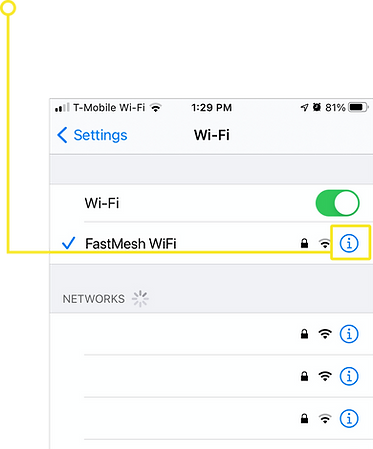
3. Tap on the "i" icon on the right side of your WiFi network

4. Tap "Forget This Network"

5. Tap "Forget"
bottom of page
1. Go to Settings
2. Go to Wi-Fi
3. Tap on the "i" icon on the right side of your WiFi network
4. Tap "Forget This Network"
5. Tap "Forget"